LifeOS
Plans change.
Keep the responsibility clear.
A changed plan does not mean the responsibility disappeared. LifeOS lets you move the plan while keeping the task itself intact.
In LifeOS, when plans change, you don't rewrite yesterday or abandon your task list. A task represents an ongoing responsibility; if scheduled time is interrupted, the task remains intact to be completed, missed, skipped, or planned for another day.
When the afternoon changes
You planned to finish a presentation outline today and reserved 2–3:30 PM. An urgent meeting interrupts that time. The reserved window can end while the outline remains unfinished.
In LifeOS, you decide what happens to the Task next. Keep its responsibility open by changing the plan, or explicitly record an outcome if that reflects what happened.
Moving the plan without losing the task
Because LifeOS keeps tasks separate from schedule blocks, a scheduled time block is merely reserved time. It is not the task itself.
If you reserved 2:00 PM to 3:30 PM to work on a presentation outline and got called into a meeting, the time block ends. But the task—Finish presentation outline—remains intact in your planned responsibilities.
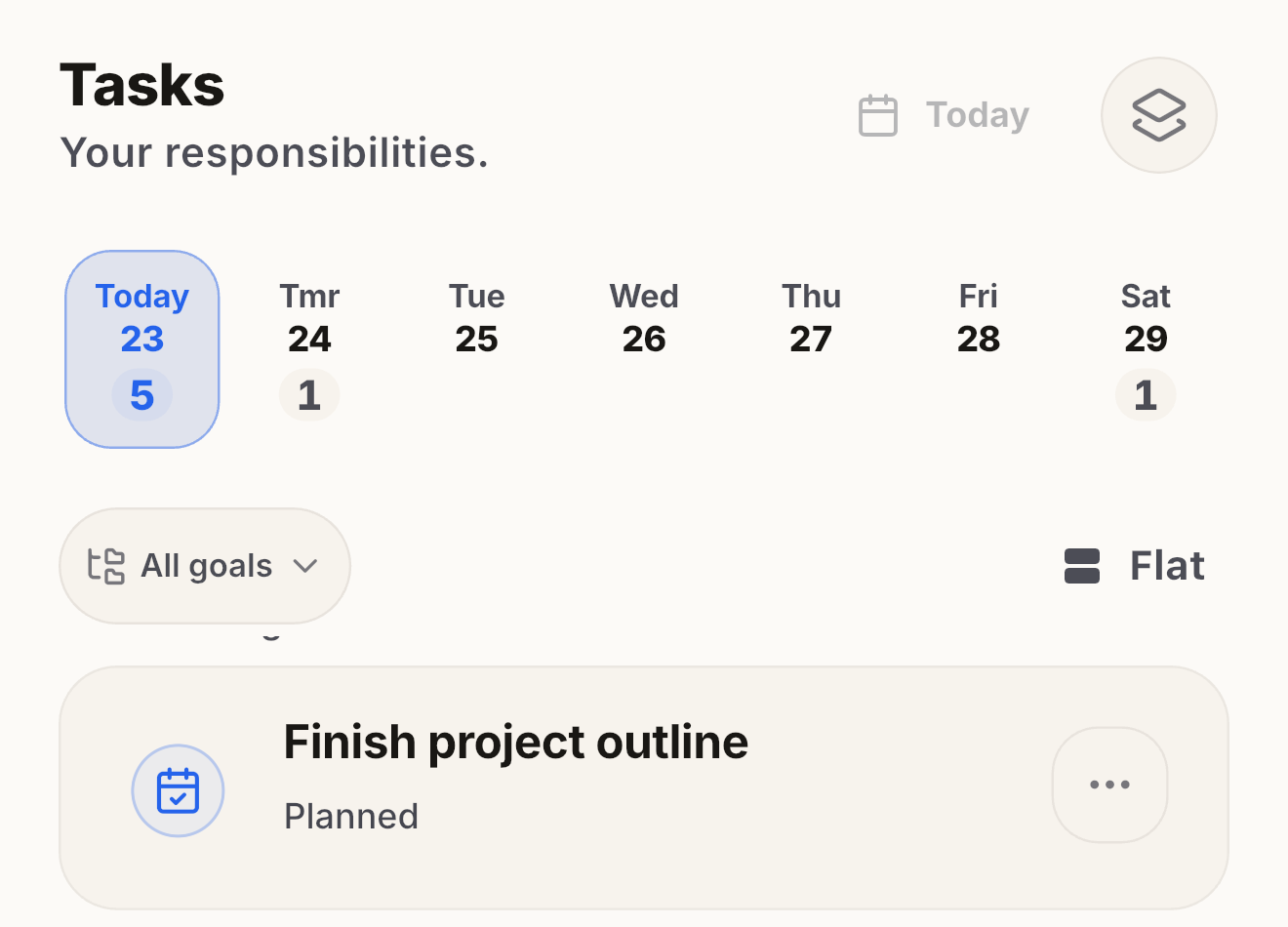
You can change the Task plan to tomorrow while keeping the same Task and notes. If you also want reserved time tomorrow, create or change a Schedule block separately. Moving the Task plan does not itself reserve time or record a final outcome.
Returning to Inbox vs. Planning another day
When plans shift, LifeOS gives you two clear paths depending on how certain you are about your next move:
Plan Again (Specific Date)
If you know exactly when you want to pick the work back up, choose Plan again. LifeOS lets you assign the task to tomorrow or a future date. It re-enters your planned list for that day cleanly.
Return to Inbox (Open Commitment)
If the priority changed or you don't know when you will have time, choose Return to Inbox. The Task stays open in Inbox without a plan date. Returning to Inbox does not erase its deadline or record a final outcome.
Review: Outcomes and planning choices
LifeOS does not automatically move unfinished Tasks into tomorrow. A passed deadline is an overdue signal, not a recorded Missed outcome.
Review lets you explicitly record an outcome or keep the Task open with a planning choice:
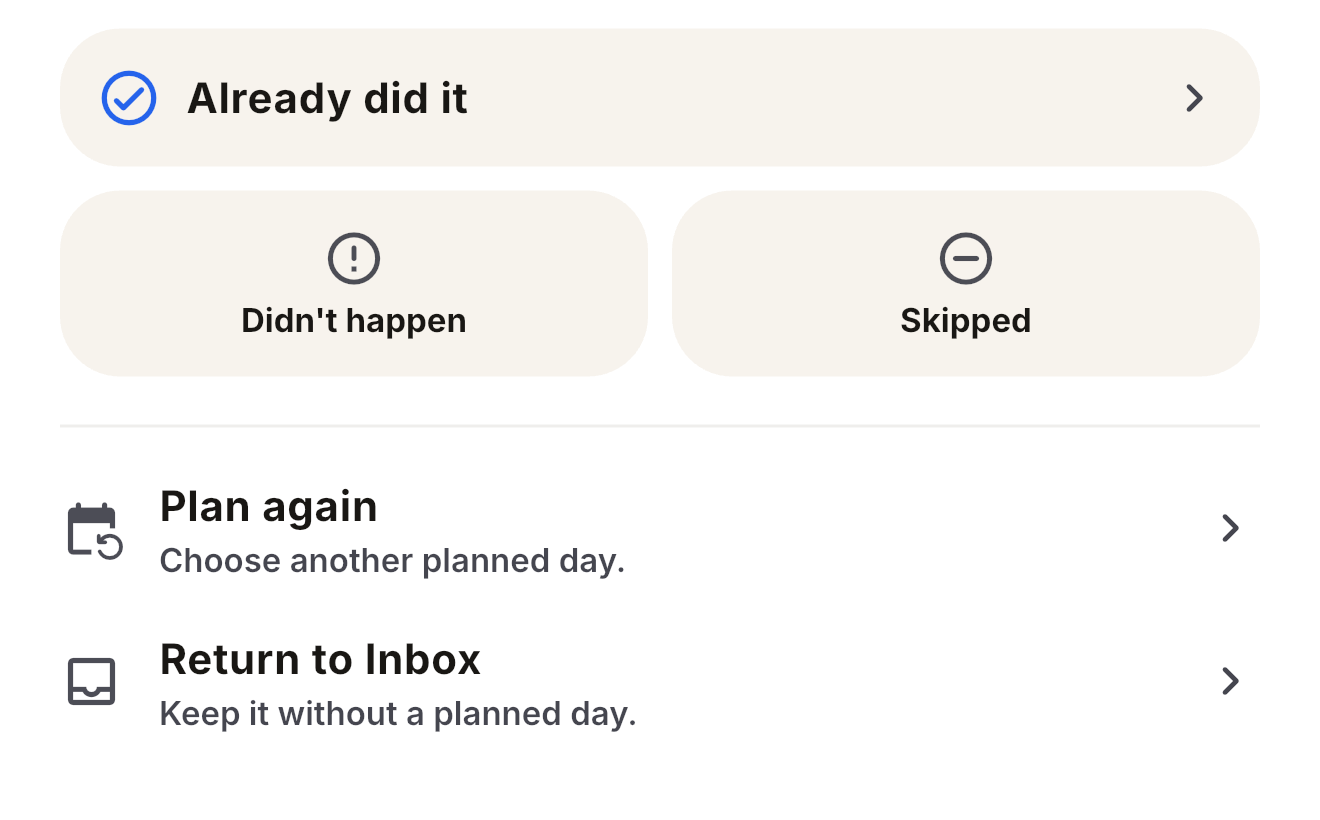
- Completed: Confirm completion and choose a permitted outcome date.
- Missed: Record that the work did not happen on the reviewed day.
- Skipped: You consciously opted not to do it today.
- Plan again: Change the Task plan date. The Task stays open; Schedule reservations are separate.
Why LifeOS does not silently rewrite yesterday
Timeline keeps user-confirmed outcomes, their outcome dates, and corrections. The outcome date can differ from the date you recorded it.
Changing a plan does not mark a Task completed, missed, or skipped. Planning and final outcomes stay distinct.
Related planning principles
Overdue vs Missed tasks: What's the difference? →
Plan time. Track reality.
Free on iPhone and iPad.