LifeOS
Overdue is a signal.
Missed is a decision.
In LifeOS, an open Task is overdue when its deadline has passed. Missed is an outcome you explicitly record.
In LifeOS, overdue applies to an open Task with a passed deadline. An expired Schedule reservation alone does not make a Task overdue. Missed is an explicit outcome you record in Review. Passing time does not automatically complete, miss, skip, or move the Task to another day.
A deadline is different from a plan
A Task plan date says when you intend to work on it. A deadline says when it is due. A Schedule block reserves time. These are separate pieces of information.
If you planned a Task for Tuesday but its deadline is Friday, Tuesday ending does not by itself make it overdue. If Friday's deadline passes and the Task is still open, it becomes overdue without becoming Missed.
Overdue is an objective time signal
An overdue signal means the Task is still open and its deadline has been reached. A Task without a deadline is not overdue simply because its planned day or reserved time has ended.
LifeOS keeps Tasks and Schedule blocks separate. For example, a 2–3 PM reservation can end while its linked Task stays open with a Friday deadline. The reservation ending does not make that Task overdue.
You can change the Task plan or record an outcome. Moving its plan does not by itself change its deadline or record a final outcome.
Missed is an intentional decision
Sometimes planned work does not happen. You can record that explicitly, or keep the responsibility open by changing its plan.
LifeOS does not automatically roll unfinished Tasks forward. In Review, Didn't happen lets you explicitly record a missed outcome.
It means: The work did not happen on the day I am reviewing.
If the responsibility should remain open, choose a planning action instead. Recording Missed is a final outcome, not a way to move the plan.
Review: Outcomes and planning choices
Review separates recording what happened from deciding when to work on an open Task:
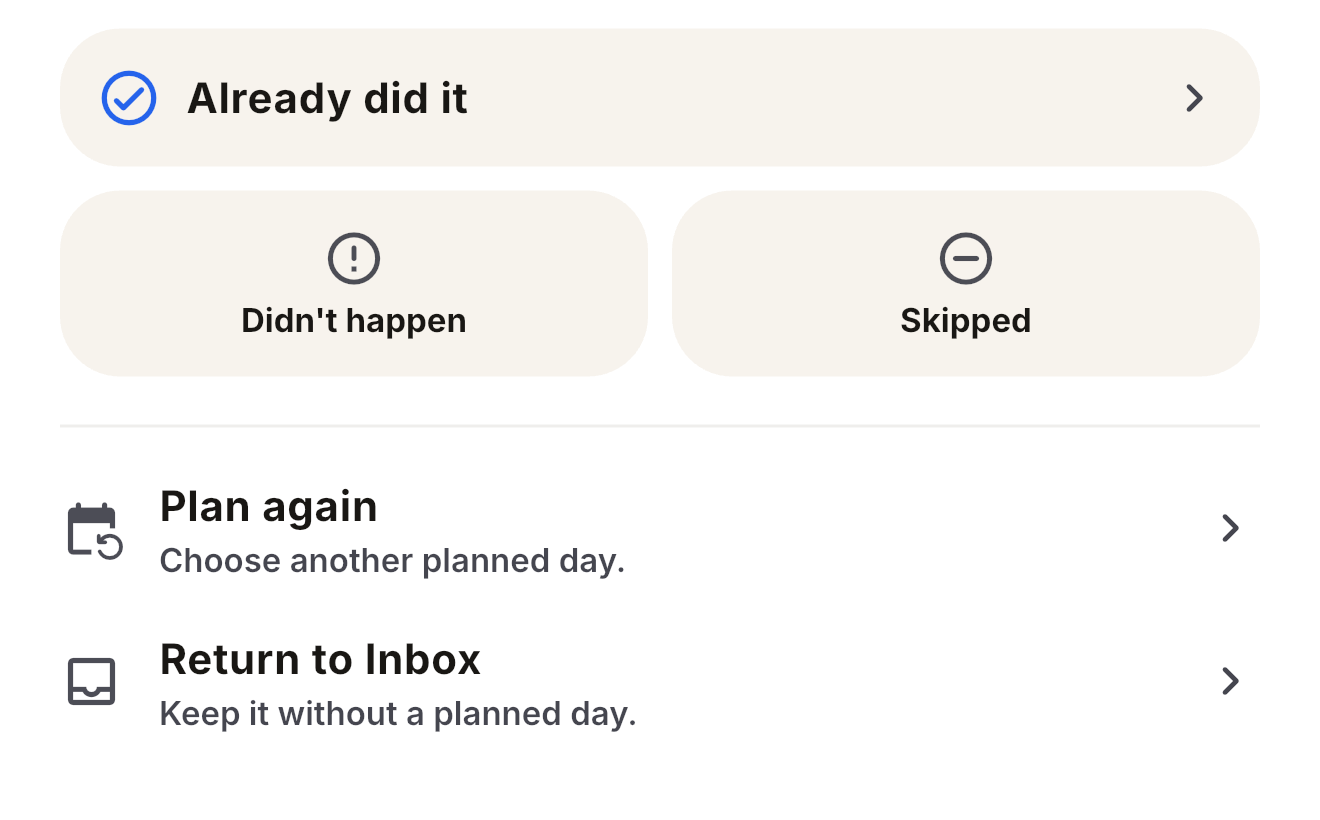
1. Completed
You explicitly confirm completion and choose the permitted outcome date. Timeline records that date and when you confirmed it; completion is not automatically assigned to today.
2. Missed (Didn't happen)
You explicitly record that the work did not happen on the reviewed day. A deadline or Schedule reservation ending never writes this outcome for you.
3. Skipped
You consciously opted not to perform the action today. It documents an intentional choice rather than an accidental oversight.
4. Plan Again
Choose another Task plan date, or Return to Inbox to remove the plan. The Task stays open. Neither action records completion, Missed, or Skipped, or reserves a Schedule block.
What became true stays
Timeline keeps user-confirmed outcomes and corrections. It distinguishes the day an outcome belongs to from the time it was recorded.
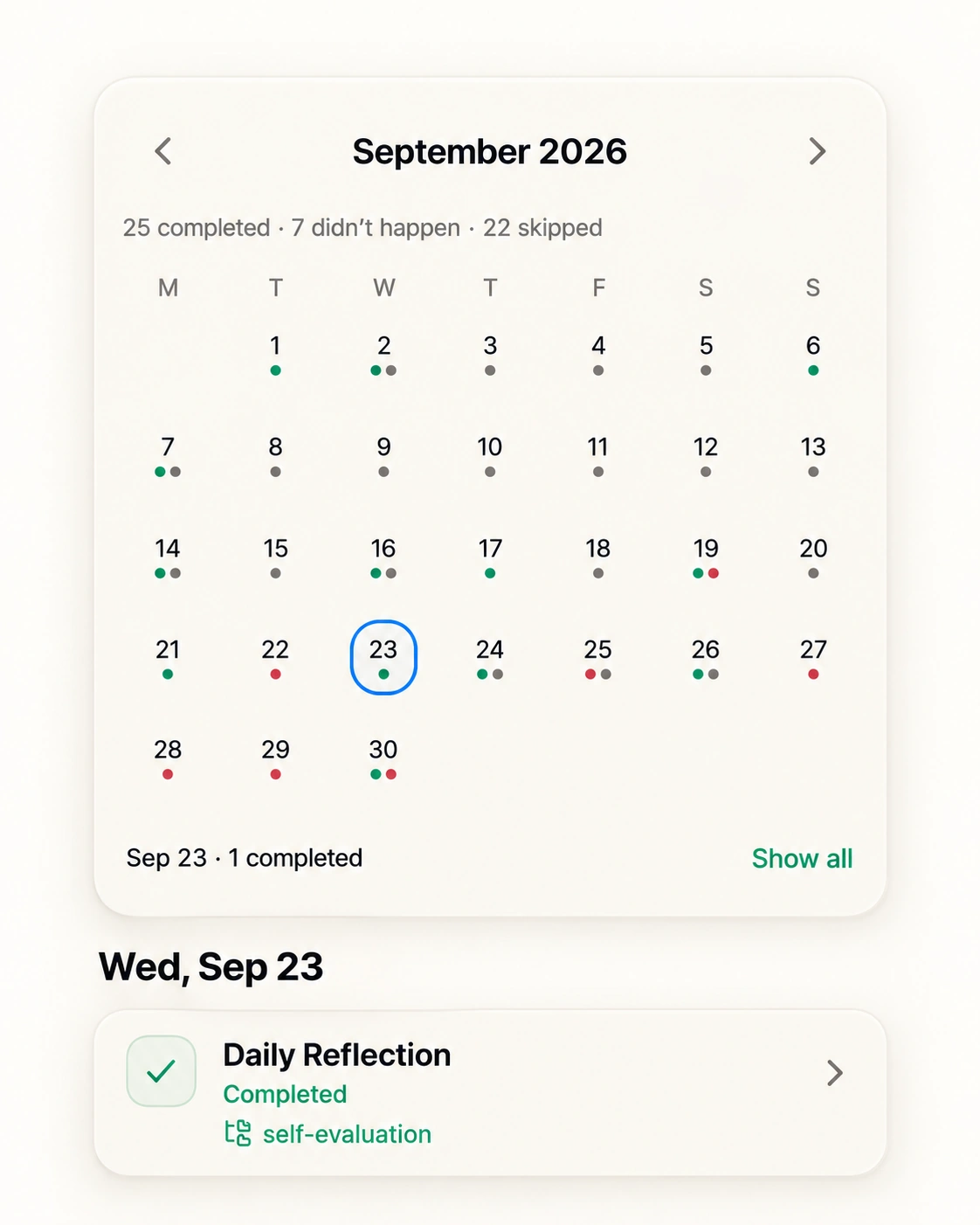
Changing a Task plan is not evidence that the work was completed, missed, or skipped. Timeline reflects the outcomes you explicitly confirmed.
Related planning principles
How to replan a task when your day changes →
Tasks hold responsibility. Schedule holds reserved time →
Plan time. Track reality.
Free on iPhone and iPad.