LifeOS
Now. Next. Remaining.
A calm daily focus model that helps you see what deserves your attention right now.
Now, Next, Remaining is a 3-window way to look at today. Now is what you are focused on right now. Next is what's coming up next. Remaining is the open responsibilities left on your plate today.
A smaller view of the day
A responsibility list and a schedule answer different questions. Today brings the relevant context together without changing either Task responsibility or reserved time.
You can see your current context, check what comes next, and return to other planned Tasks when ready.
The Three Windows of Today
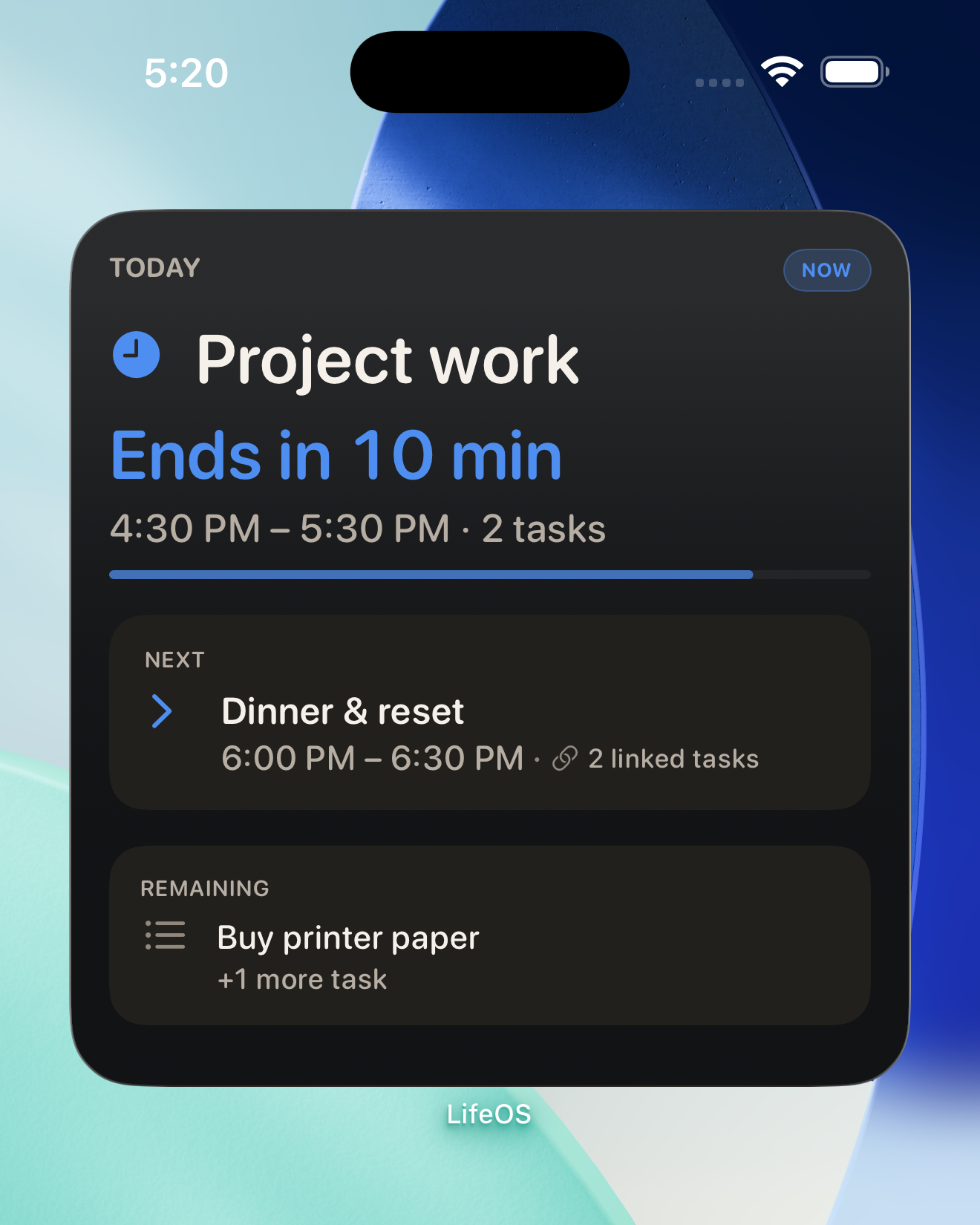
The Now, Next, Remaining model is presented in Today as Current focus, Next, and Other tasks today:
Window 1: Now (Current focus)
What are you doing right now? Not five things—just one. If you reserved 9:00 AM to 10:30 AM for project work, that block and its linked tasks sit at the top of your screen.
The current context does not record an outcome. A reserved block ending leaves its linked Tasks open until you act on them.

Window 2: Next (Upcoming Transition)
What comes immediately after this block? Knowing what's next lowers the friction of transitioning between tasks.
If your next commitment is a team meeting or a personal break at 10:30 AM, you see it cleanly below your current focus. You don't have to keep checking your calendar or wonder if you have time to start something new.

Window 3: Remaining (Other tasks today)
What open responsibilities remain planned for today that haven't been completed yet?
These are the tasks you decided to handle today. They sit quietly at the bottom. As you complete or review tasks throughout your day, Remaining empties out naturally.

Always in view without distraction
LifeOS also offers Home Screen widgets for a glance at your planning context. A widget does not decide whether a Task is complete.
Related planning concepts
Tasks vs Schedule: Why time blocks aren't tasks →
How to replan a task when your day changes →
Plan time. Track reality.
Free on iPhone and iPad.